To make the first time in a fancy cafe AI video, choose one person or two, add a separate portrait for each role, and use the built-in cafe reference. You do not need an editing app or a prompt.
The current template is configured for a 15-second 720p MP4 at 20 credits. Check the displayed cost before generating.
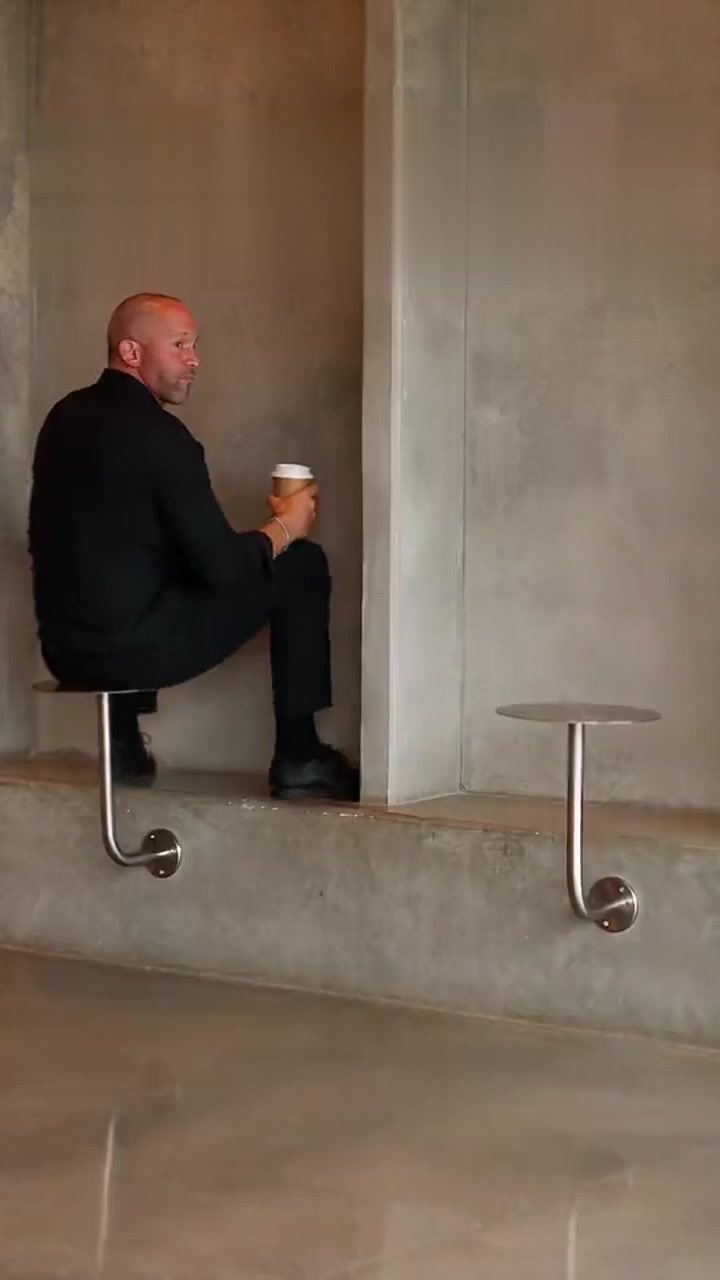 Cafe reference scene
How do I choose Solo or With a friend?
Choose Solo if only you should change in the clip. Your portrait takes the role of the person sitting on the tiny table, and the arriving guest remains from the reference. Choose With a friend if you want both characters replaced. This is a cast choice, not a second scene or a different dance.
Which photo should I upload for each person?
Use one adult per image, face visible, with even light and no heavy face filter. A chest-up portrait is a useful starting point. The two people do not need to stand together: separate selfies are supported. In the two-person mode, place the wrong-seat character in photo 1 and the guest in photo 2. Avoid group photos, sunglasses and screenshots with tiny faces.
How do I keep the cafe joke recognisable?
Choose one of the on-page cafe references. Look for the full sequence: sitting on the steel table, the other guest arriving, the pause of realisation and the move to the bench. The video reference supplies the cafe, action and timing; your photos supply the cast. You do not need to type a prompt or reproduce the scene yourself.
How do I generate the clip and check its progress?
Select vertical 9:16 for a phone post or horizontal 16:9 for a wider frame. The configured output is 15 seconds at 720p, using 20 credits. Sign in, check the displayed cost and press Generate once. Keep the task reference rather than submitting a duplicate while it is pending. Provider speed varies. Do not submit another task while the first one is still pending.
How do I download and post the finished video?
Play the whole result before saving it. Check that the same face stays in each role, the guest enters in the right order and the realisation is visible. Listen to the audio rather than assuming it exactly matches the original track. Download the MP4 promptly, then upload from your camera roll to TikTok, Instagram Reels or YouTube Shorts. Add your own caption in the platform if you want one; this tool does not publish for you.